Corsair 4000D Airflow vs NZXT H5 Flow: Which Runs Cooler?
By Marlo Strydom · Last updated



On paper, these two mesh cases look like twins. Both take three front fans, two on top and one at the back, and both ship with just two of them.
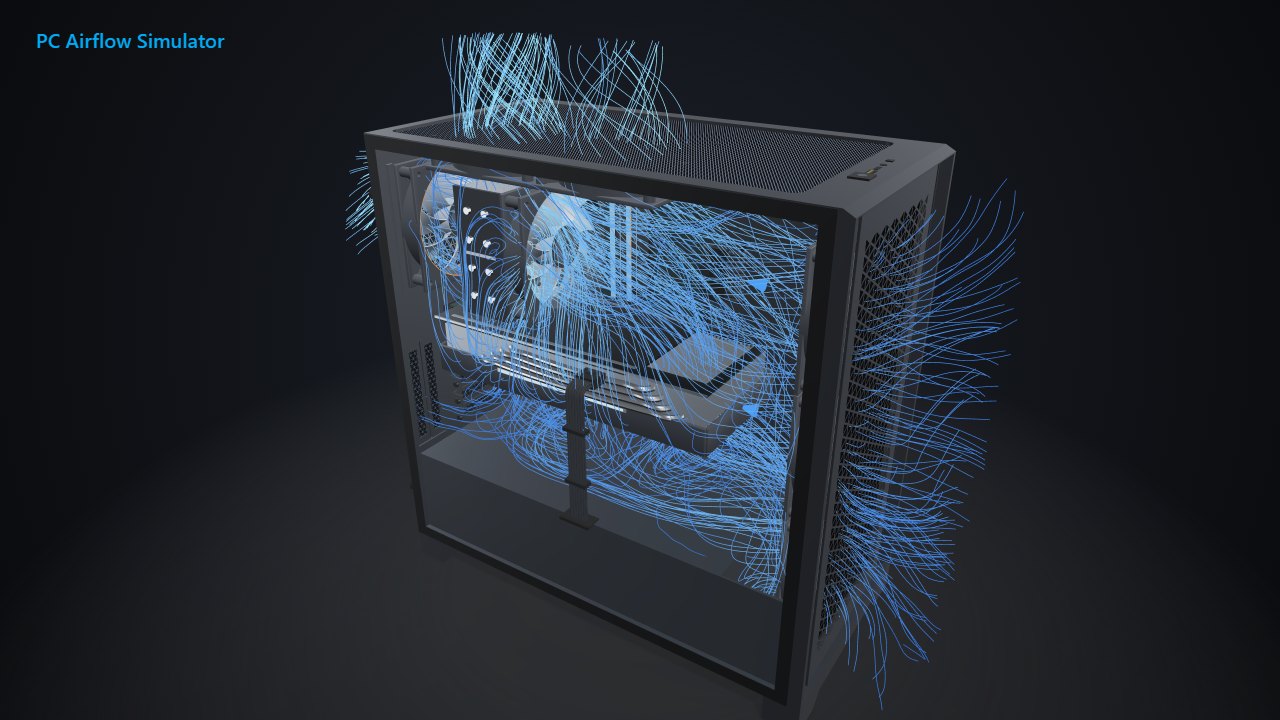
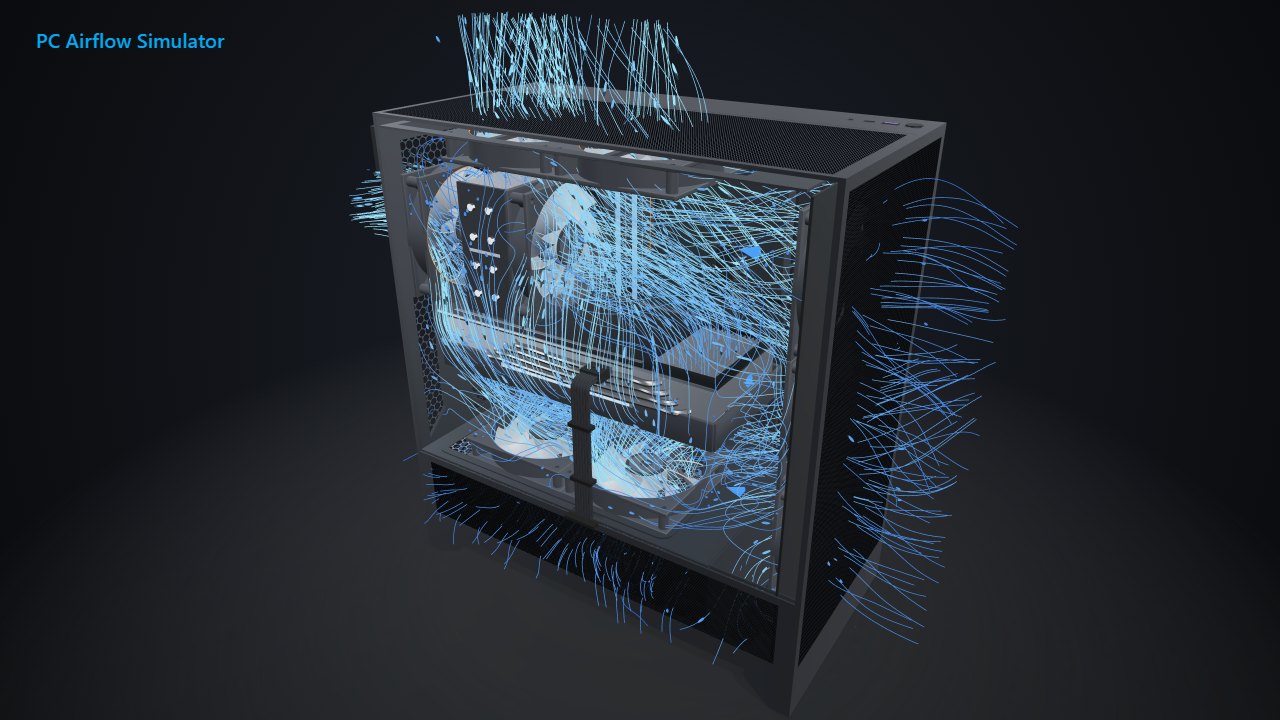
So we built the same PC in our 3D models of both cases, with the same graphics card, CPU and fans, and checked which one kept it cooler.
The Short Answer
- The H5 Flow runs a little cooler. With the same parts and fans, its CPU ran 1 to 3 °C cooler, and the graphics cards tied.
- Only the H5 Flow takes bottom fans. Two more under the graphics card cooled it another 2 °C.
- The H5 Flow fits longer graphics cards: up to 410 mm, against 360 mm in the 4000D Airflow.
- The 4000D Airflow has a separate front dust filter and room for two 3.5-inch hard drives instead of one.
Temperatures With the Same Parts
Both cases got a GeForce RTX 4070 SUPER, a Ryzen 7 7800X3D and a tower cooler, in a 21 °C (70 °F) room. Every fan spun at 1,200 RPM, so only the case changed.
We ran each case with fans in its two stock spots (front in, rear out), then with six: three front intakes, plus the rear and two top fans blowing out.
| Part and fans | 4000D Airflow | H5 Flow |
|---|---|---|
| Graphics card, 2 fans | 75 °C (167 °F) | 75 °C (167 °F) |
| CPU, 2 fans | 87 °C (189 °F) | 84 °C (183 °F) |
| Graphics card, 6 fans | 69 °C (156 °F) | 69 °C (156 °F) |
| CPU, 6 fans | 83 °C (181 °F) | 82 °C (180 °F) |
With two fans, the H5 Flow's CPU ran 3 °C cooler. The air reaching its cooler was 30.6 °C, against 33.4 °C in the 4000D Airflow.
With six fans, the gap shrank to 1 °C. The H5 Flow pulled in more air, 108 CFM against 85, partly because the 4000D Airflow's fine front filter holds some back. In our 4000D filter test, pulling that filter raised the incoming air by almost a third.
What the H5 Flow's Bottom Fans Add
The H5 Flow has two 120 mm mounts on top of its power supply shroud, right under the graphics card. The 4000D Airflow has none.
We added two bottom intakes to the six-fan H5 Flow. The graphics card dropped from 69 to 67 °C (153 °F), and the CPU stayed at 82 °C.
Real testing lines up. KitGuru found two bottom fans at 1,000 RPM cooled the graphics card by only 2 °C, and said they may not be worth the extra cost. They make the most sense for a card that already runs hot.
Size and Fit
| Spec | 4000D Airflow | H5 Flow |
|---|---|---|
| Outside size (L × W × H) | 453 × 230 × 466 mm | 430 × 225 × 465 mm |
| Graphics card length | Up to 360 mm | Up to 410 mm |
| CPU cooler height | Up to 170 mm | Up to 170 mm |
| Power supply length | Up to 220 mm | Up to 200 mm |
| Front radiator | Up to 360 mm | Up to 360 mm |
| Top radiator | Up to 240 mm, or 280 mm with low-profile RAM | Up to 240 mm, or 280 mm with low-profile RAM |
| Fan mounts | 3 front, 2 top, 1 rear | 3 front, 2 top, 2 bottom, 1 rear |
| Drive bays | 2 × 3.5-inch, 2 × 2.5-inch | 1 × 3.5-inch, 2 × 2.5-inch |
| Front USB-C | USB 3.1 | USB 3.2 Gen 2x2 (20 Gbps) |
The sizes come from Corsair's product page and NZXT's product page. The H5 Flow is 23 mm shorter front to back, yet it takes graphics cards 50 mm longer.
Radiator support is a tie, and Corsair's own comparison confirms the same low-profile RAM catch on the 4000D Airflow's roof. One difference: a front radiator in the 4000D Airflow cuts its graphics card limit to 340 mm, per Corsair.
Dust Filters
The 4000D Airflow has a fine magnetic filter behind its steel front panel, which Gamers Nexus left in place when it tested the case without the panel. If it tears, Corsair sells replacement filters.
The H5 Flow relies on its panels instead. NZXT says the ultra-fine mesh on the top, front and side filters dust, so you clean it from the outside.
Plan the Fans for Either Case
Both cases ship with two fans, so most builds add more. Our 4000D Airflow fan guide and H5 Flow fan guide show which mount to fill first, one fan at a time. Also eyeing the Fractal North? We ran the 4000D Airflow against the North the same way.
For the roof fans in either case, our top fan direction test covers when an intake up there helps. Our PC airflow guide explains the basics behind any layout.
Related Posts