Computer Info Bits Pro Subscription
Test your fan layout in 3D before you buy a single fan. Give clients reports with your logo on them. Track down a crash that keeps coming back. Prove your internet isn't what you pay for.
Pro adds all of that to our site and our Windows apps, plus every premium tool we build next.
Everything is Was US$10, nowUS$5US$10 a month, or Was US$60, nowUS$30US$60 a year.
Everything one subscription unlocks
The full 3D airflow simulator
Every case and ready-made layout, with graphics card and CPU temperatures for the parts you pick. Save builds and compare two layouts side by side.
See what the simulator adds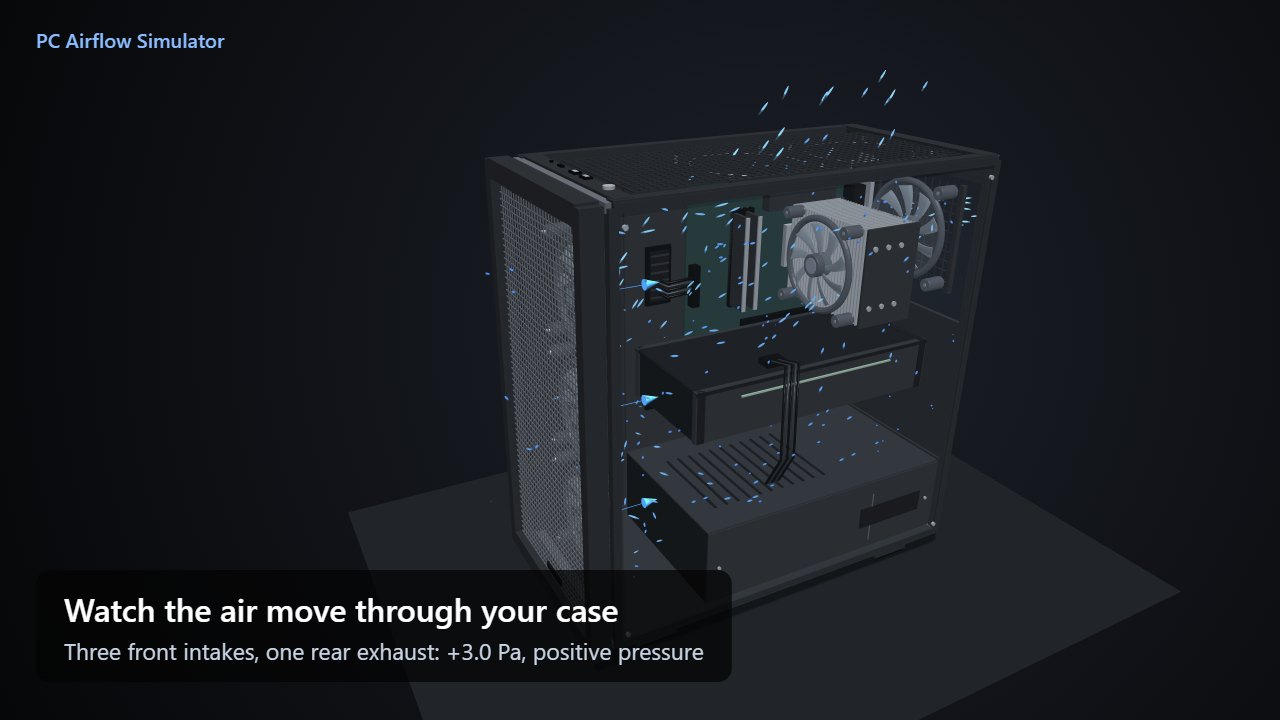
PC Reporter Pro
Solve PC problems that keep coming back.
ISP Watchdog
Proof of outages and slow speeds for your provider.
RAM Optimizer Pro
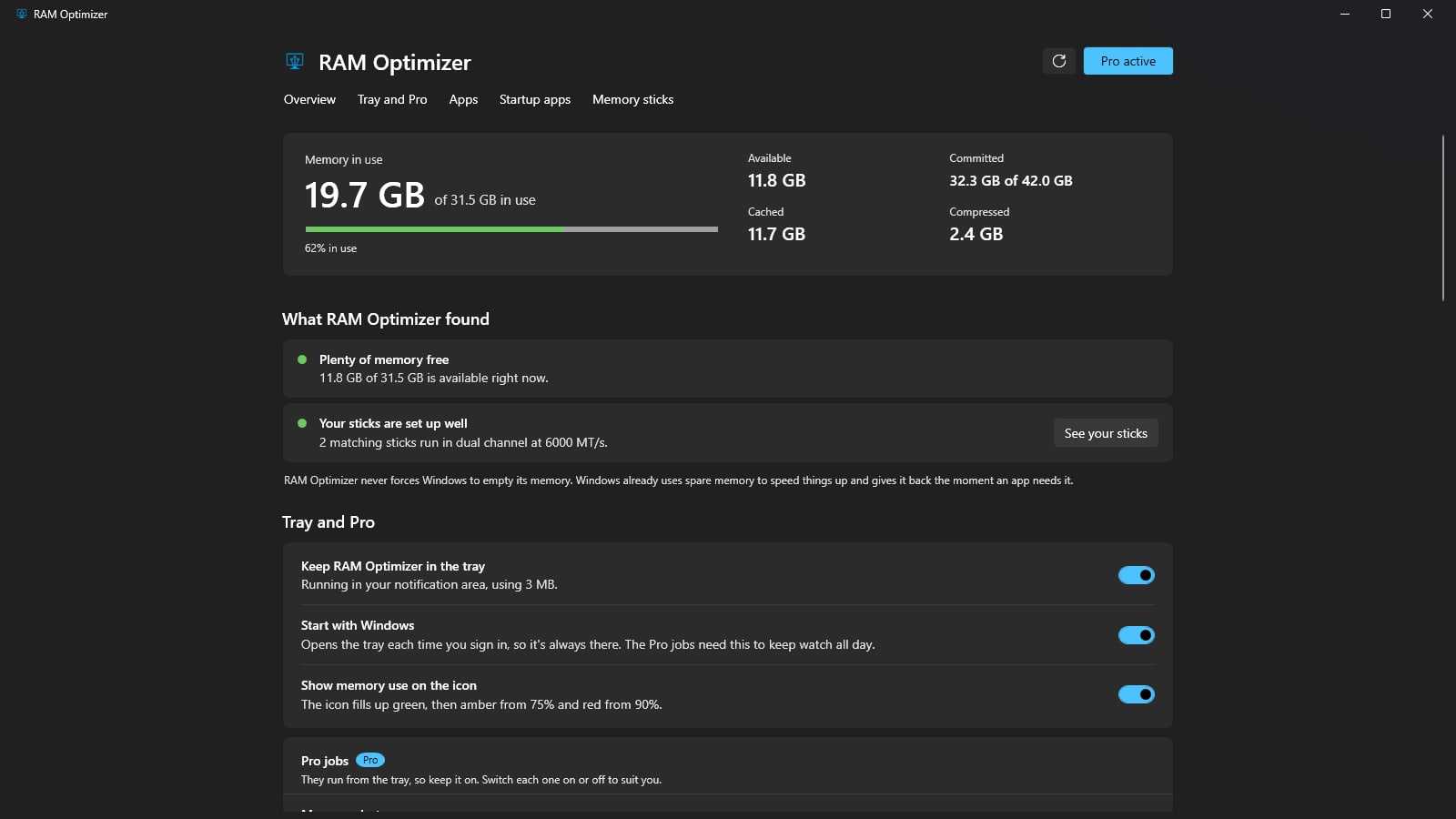
Memory alerts, leak alerts and a startup guard.
- Calculator reports Your notes, name and logo on 4 calculators.
- Multi-PC UPS planner Size every UPS for a room full of PCs.
- FPS game planner The best settings for up to 12 of your games.
- Bill Cutter The cheapest internet plan that still covers your home.
- New premium tools Each new one is included at no extra cost.
-
The full 3D airflow simulator
Every case, chip temperatures and saved builds.
-
PC Reporter Pro
Solve PC problems that keep coming back.
-
ISP Watchdog
Proof of outages and slow speeds for your provider.
-
Calculator reports
Your notes, name and logo on 4 calculators.
-
RAM Optimizer Pro
Memory alerts, leak alerts and a startup guard.
-
Multi-PC UPS planner
Size every UPS for a room full of PCs.
-
FPS game planner
The best settings for up to 12 of your games.
-
Bill Cutter
The cheapest internet plan that still covers your home.
-
New premium tools
Each new one is included at no extra cost.
3D PC Airflow Simulator
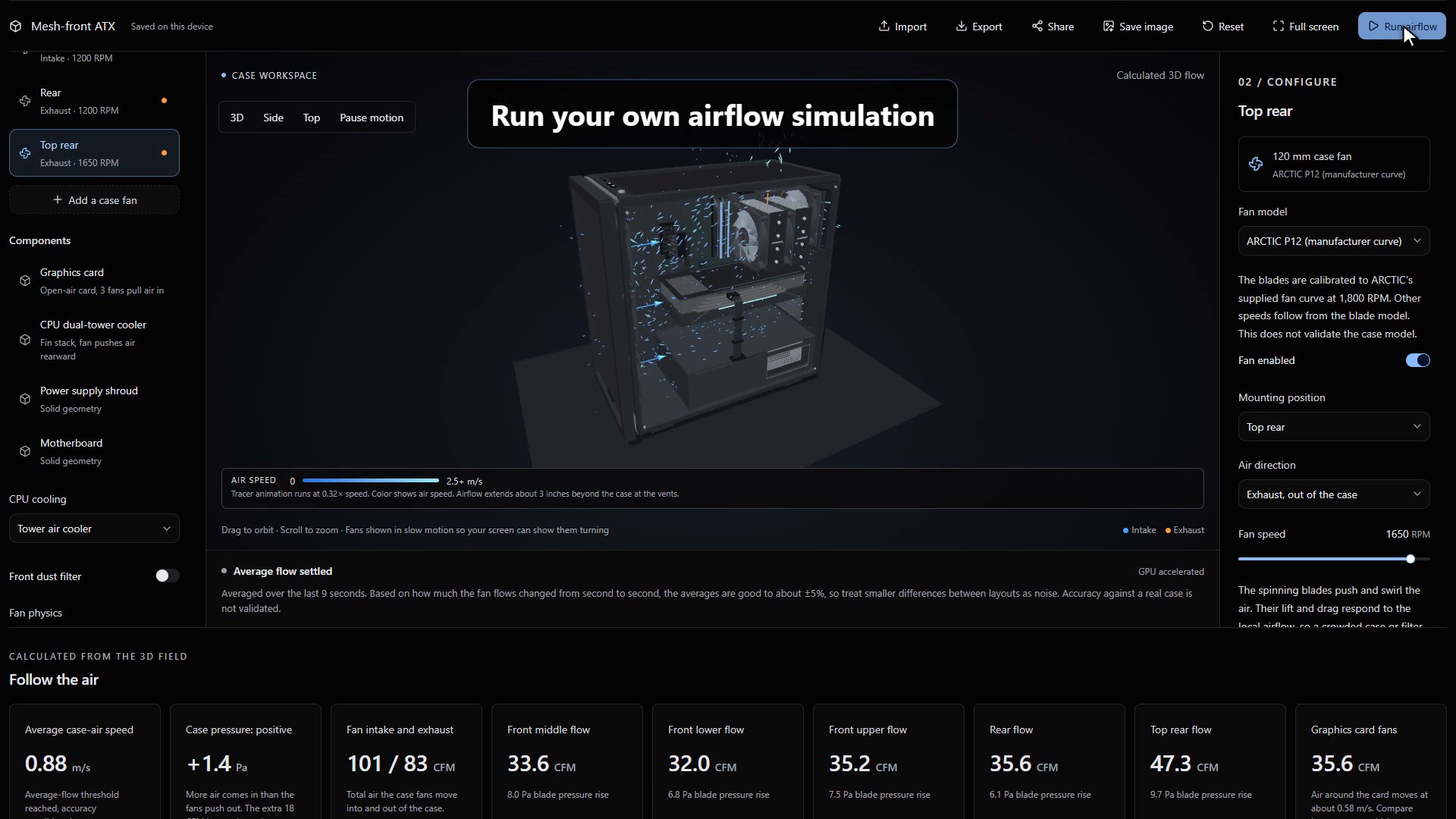
Test a fan layout before you spend money
Build your case in 3D, add fans, and run air through it. Each run shows your case pressure and how much air reaches your graphics card and CPU cooler.
Pick your graphics card and CPU by name, such as an RTX 5060 or a Core Ultra 5 225, choose a load from gaming to full load, and the simulator fills in the heat each one gives off. Set how warm your room is, and each run shows how hot your graphics card and CPU get, and how warm the air around them is.
Flip one fan or change its speed, run it again, and compare the two layouts side by side.
- Cases from Mini-ITX to a full tower, including the common ATX mid-tower and real Corsair, NZXT, Lian Li, Fractal Design and Cooler Master models
- Graphics card and CPU temperatures, and the air going into them, leaving the case, and inside it
- Ready-made layouts to start from
- Graphics card sizes, CPU coolers and AIO radiators to swap in
- Finer 6.7 mm detail, and builds you can save
The full simulator comes with Pro, and one case type is free as a preview you can try now.
Calculator reports
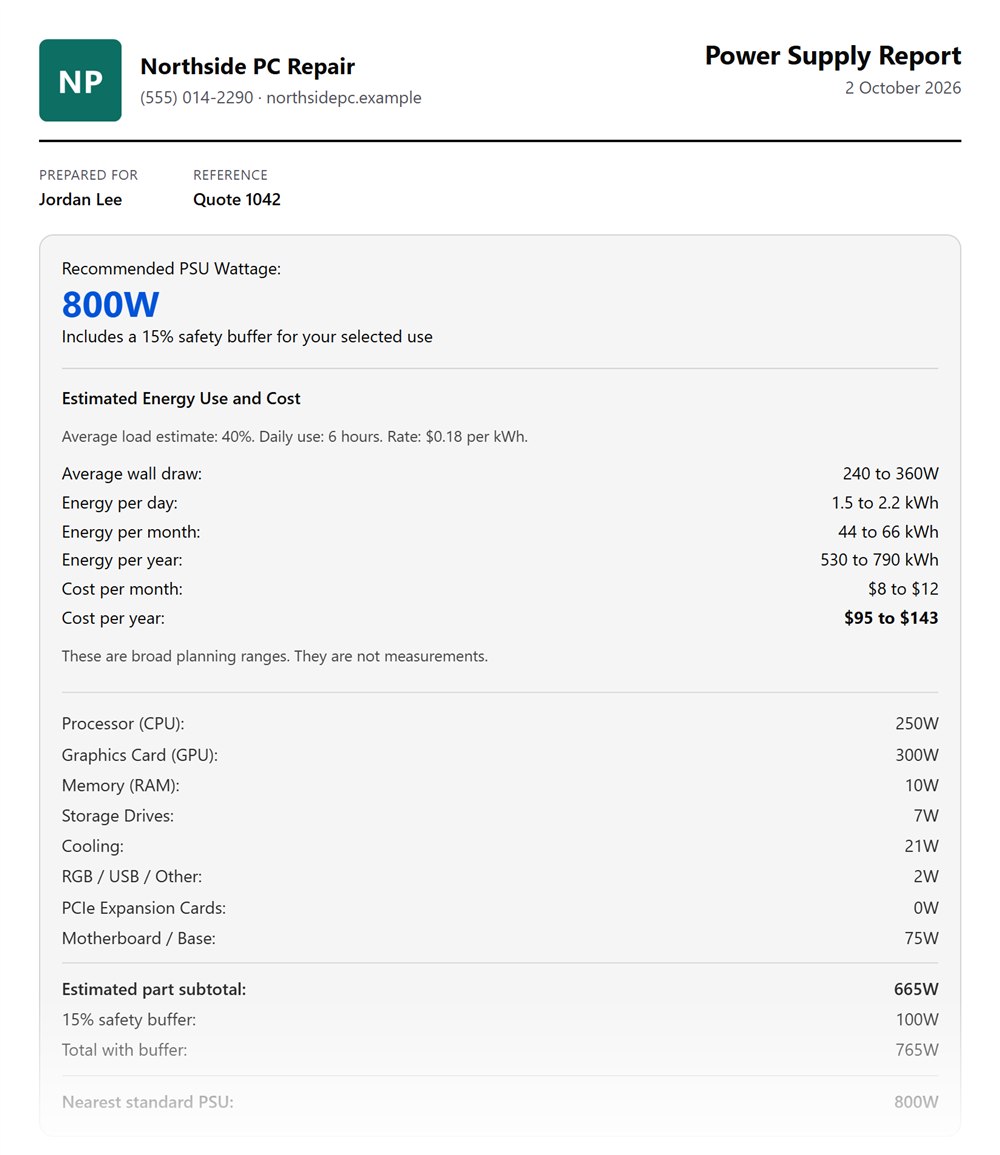
Hand clients a report with your name on it
Turn a calculator result into a clean report you can print or save as a PDF. It lists every detail entered, your notes, and who the report is for.
Add your business name, contact details and logo once. Your browser remembers them for next time, and they're never sent to us.
Look for Create report under a result in these calculators:
PC Reporter Pro
Get to the bottom of crashes that keep coming back
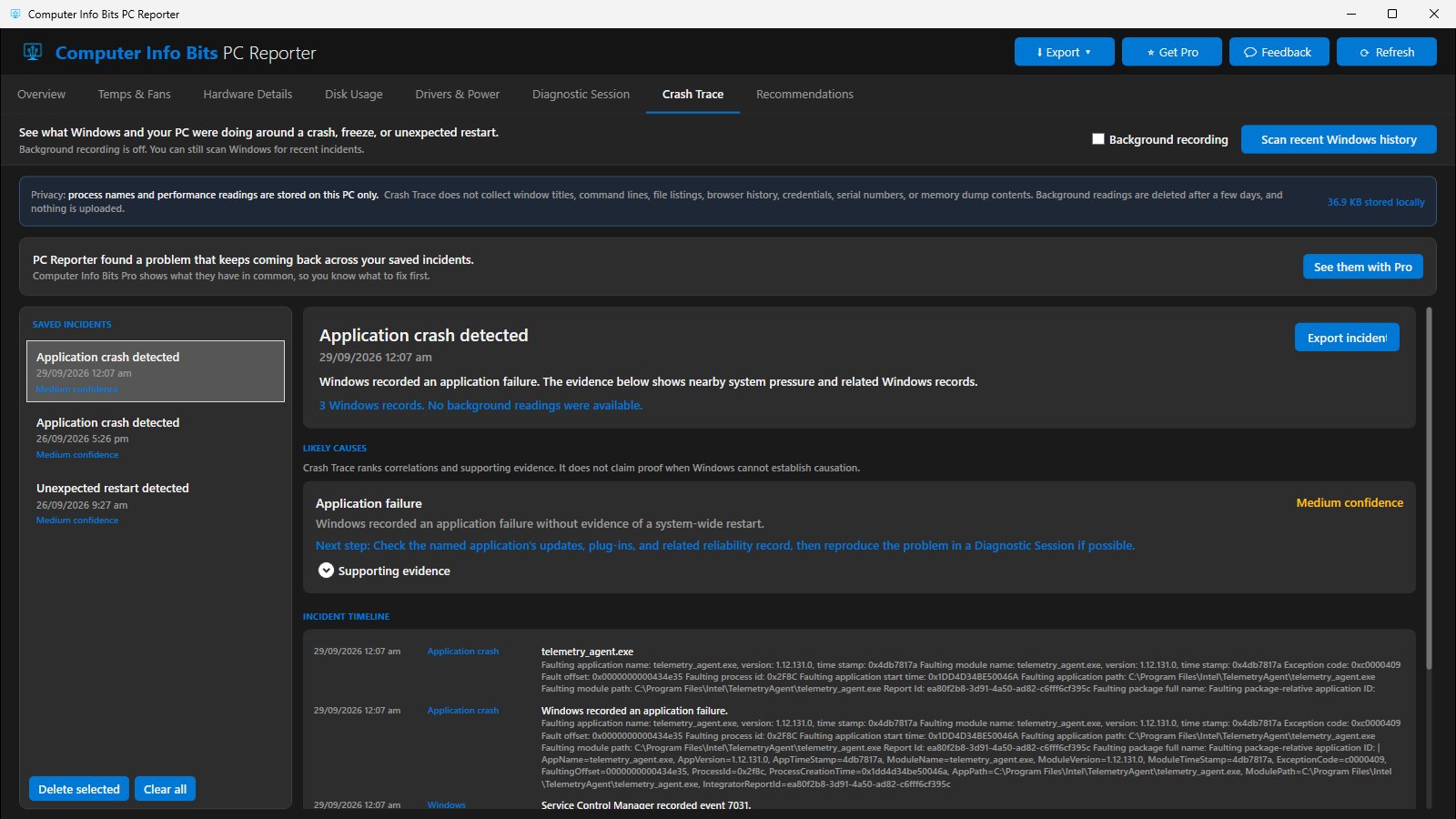
PC Reporter is our free Windows app for hardware details and crash evidence. Pro makes its Crash Trace tab far more useful when the same problem returns.
- Keep up to 100 incidents for a full year, instead of 10 for 30 days
- See what your crashes, freezes and restarts have in common, like the same app or stop code
- Put your business name, contact line and logo on exported incident reports
To sign in, select Get Pro in the app and enter the license key from your receipt email. The same key works in PC Reporter and in your browser.
ISP Watchdog
Prove your internet isn't what you pay for
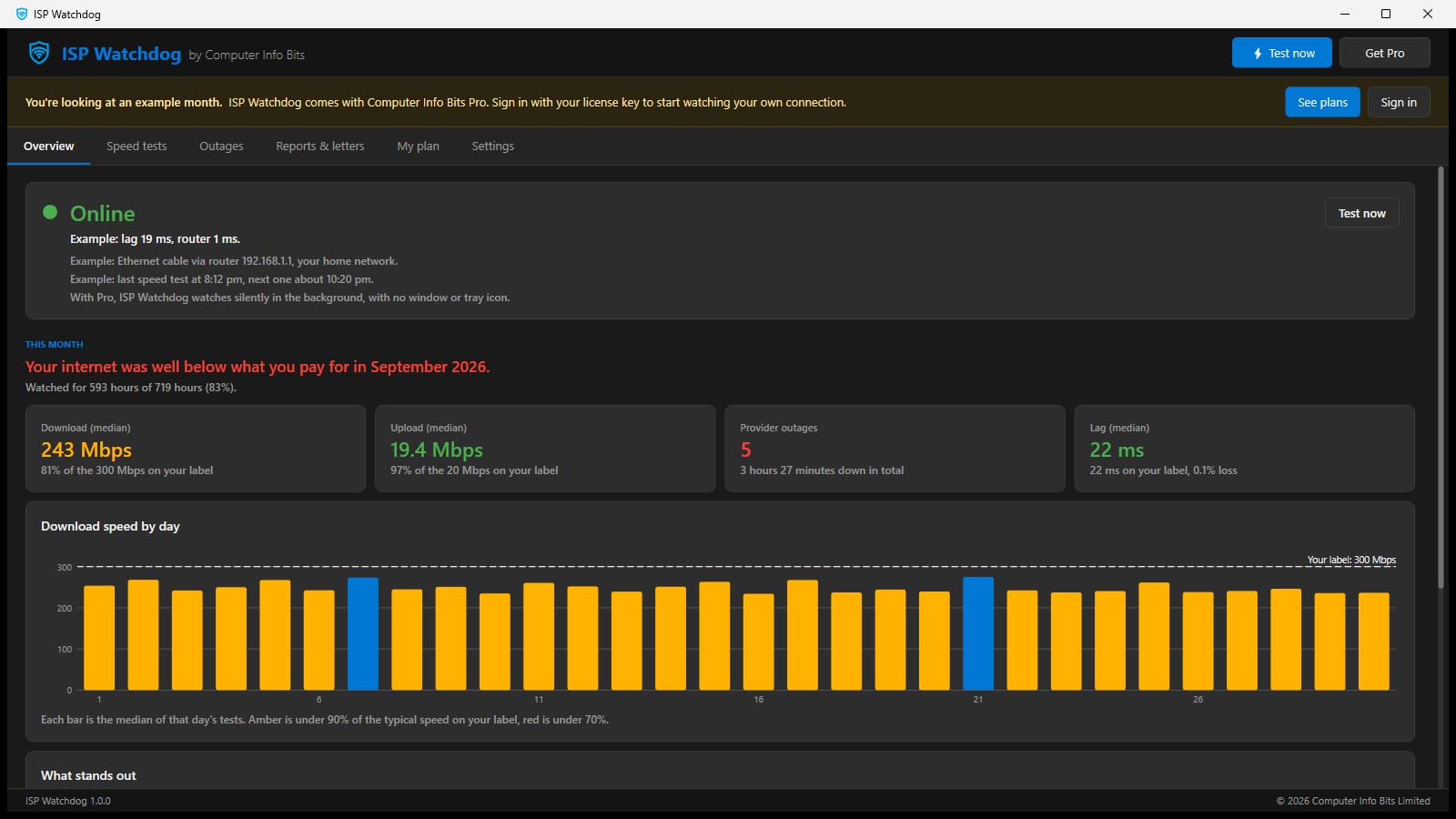
ISP Watchdog runs silently on your PC and logs every outage, slowdown and lag spike around the clock. It compares them with your plan's broadband label.
Each month it tells you, in plain English, whether you got what you paid for. When you didn't, it builds the evidence and the letter.
- Outages placed on your provider's side or yours, by checking your router every five seconds
- Speed tests through the day and evening, measured against your label
- A one-click evidence pack, and letters for a credit, a technician or a way out of your contract
The download opens on an example month. Sign in with your license key to start watching your own connection.
See all of Pro in 40 seconds
Get all of it with one plan
Pick monthly or yearly, and see what stays free in each of our products.
See plans and pricesAlready subscribed? Sign in on your account page.
Create PC content? Join our affiliate program and earn on every payment.
Your Pro plan is active
Every Pro feature is ready to use on this browser. To change or cancel your plan, open your dashboard.
Open your Pro dashboard