Skip to content

Computer Software and Utilities

Our Windows apps fix real problems on your PC, from crash diagnostics and memory checks to internet outages and complete Thunderbird email backups. Each card below shows what's free and what needs Computer Info Bits Pro.

Applications
4
Access
No sign-up
Cost
Free or with Pro

Choose the software for your task

Each program has one clear job. Open its page to see supported platforms, features, screenshots, download choices, and straightforward instructions before running it.

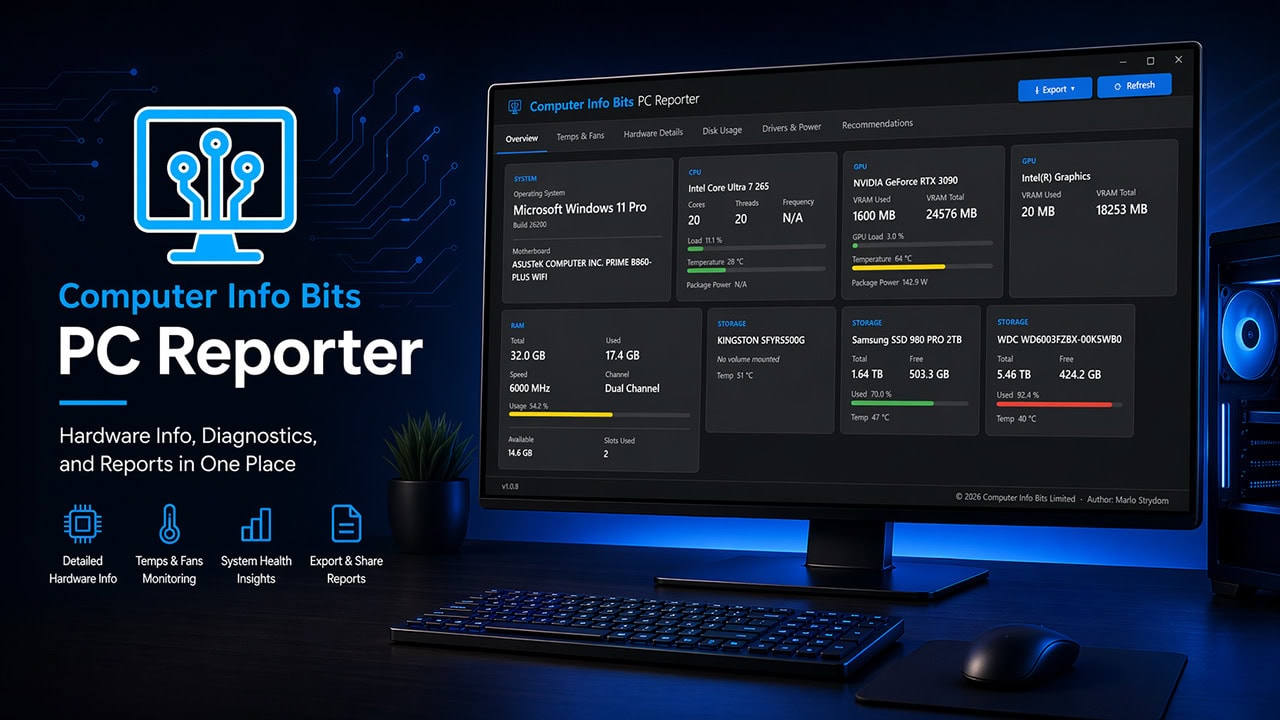
Computer Info Bits PC Reporter dashboard on a Windows 11 desktop, showing CPU, GPU, RAM, and storage health alongside feature icons for hardware info, thermals, system health insights, and report export
Microsoft Store or standalone EXE Windows 11 Free, Pro adds extras

Computer Info Bits PC Reporter

Inspect hardware, monitor thermals, analyze performance, and review crash evidence in one free Windows app. A standalone version runs without installation.

  • Free, no ads, trial or account
  • Portable version, no installation needed
  • Crash Trace catches crashes, freezes and restarts
  • Diagnostic session recording and analysis

View and download PC Reporter
Two memory sticks in front of a glowing blue memory chart
Microsoft Store or standalone EXE Windows 10 and 11 Free, Pro adds extras

Computer Info Bits RAM Optimizer

See which apps hold your memory, turn off startup apps that hog it, and check your sticks run at their rated speed. A tiny tray meter keeps watch, and Pro adds alerts.

  • Live memory use for every app
  • Startup apps that hog memory, off in one click
  • Dual channel, slot and XMP or EXPO checks
  • Never empties Windows' memory cache
View and download RAM Optimizer
A laptop showing a live speed graph beside a home Wi-Fi router
Microsoft Store or single EXE Windows 10 and 11 Pro, with a free demo

Computer Info Bits ISP Watchdog

Logs every outage, speed test and lag spike around the clock, checks them against your plan's broadband label, and builds a monthly report and letter for your provider.

  • Logs outages and lag every five seconds
  • Speed tests through the day and evening
  • Compares results with your broadband label
  • Monthly report, evidence pack and letters
View and download ISP Watchdog
Thunderbird Backup and Restore Tool by Computer Info Bits, showing the app window listing mail profiles next to feature icons for accounts, messages, settings, and saved passwords
Standalone EXE Windows 10 or 11 (64-bit) Free

Free Thunderbird Backup and Restore Tool

Saves complete Mozilla Thunderbird mail profiles, including messages, accounts, address books, filters, and saved passwords, into single zip files, and restores them safely on the same PC or a brand-new one.

  • Free, no trial or paywall
  • Single EXE, no install needed
  • Backs up mail, settings, and saved passwords
  • Restore never overwrites existing mail
View and download Thunderbird Backup

Optional upgrade

PC Reporter Pro for problems that keep coming back

PC Reporter stays free. Computer Info Bits Pro keeps a full year of Crash Trace history, shows what repeat crashes have in common, and puts your logo on incident reports.

One license also opens the rest of Pro: PC Airflow Simulator, Multi-PC UPS Planner, FPS Game Planner, Upgrade Route Comparison, Bill Cutter, Calculator Reports, ISP Watchdog and RAM Optimizer Pro. It costs US$10 a month or US$70 a year.

Work directly with information on your computer

Installed or standalone software can inspect a live system, work with local files, and complete tasks that a webpage cannot. That is why PC Reporter can read computer details and Thunderbird Backup can protect a complete mail profile.

Calculate and plan without downloading anything

Our separate PC tools collection is designed for estimates, comparisons, and planning. Use it when you want to size a power supply, compare an upgrade, estimate performance, or answer a focused question in your browser.

Explore Free PC Tools and Calculators

Practical software with a clear purpose

Marlo Strydom develops these applications from more than 20 years of experience with computer systems, technical support, electronics, and purpose-built software. Each program is designed to solve a real task without unnecessary features, forced subscriptions, or a maze of unrelated downloads.

The current releases support Windows computers. The collection itself is platform-neutral, so future software for other computer platforms can be added here without changing the purpose of the hub.

About Marlo Strydom