Corsair 4000D Airflow vs Fractal North: Which Runs Cooler?
By Marlo Strydom · Last updated



One is a plain mesh box built for airflow. The other hides its fans behind wood slats, so it's fair to wonder if the looks cost you cooling.
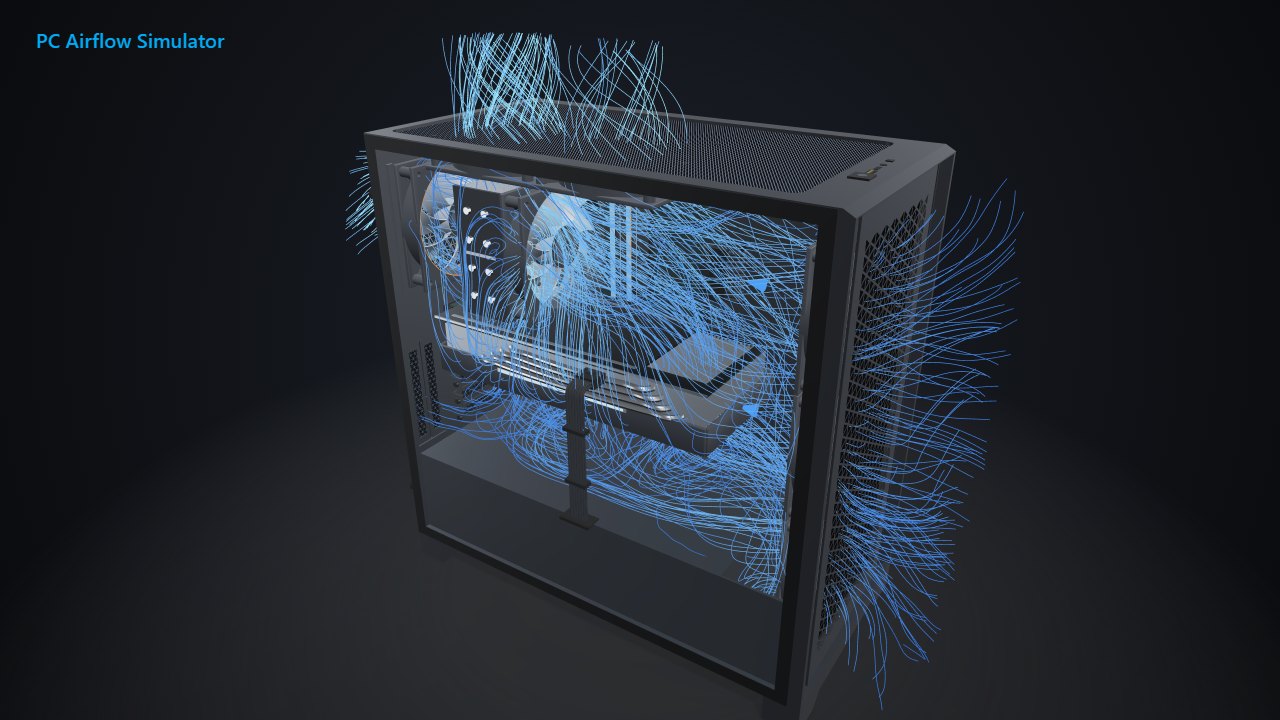
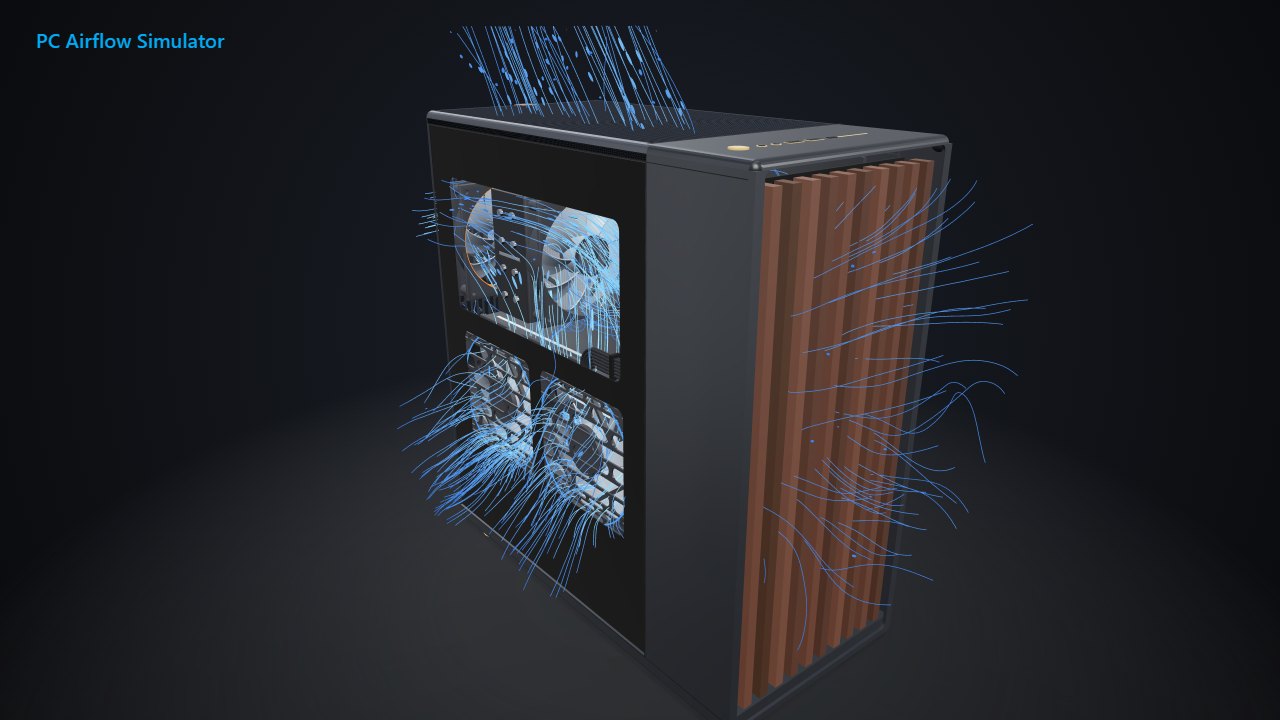
To find out, we built the same PC in our 3D models of both cases, with the same graphics card, CPU and fan speed, and compared the temperatures.
The Short Answer
- The North runs cooler as it ships. Its two front intakes kept the CPU 8 °C cooler and the graphics card 2 °C cooler than the 4000D Airflow's stock pair.
- Fill the front, rear and top, and it's a tie, within 1 °C on both parts.
- The Mesh North's side fans win. Two side intakes gave the coolest result of either case, and made its top fans unnecessary in our model.
- The 4000D Airflow has more radiator room. With a 360 mm radiator up front, it still fits graphics cards under 340 mm, against 300 mm in the North.
Temperatures With the Same Parts
Both cases got a GeForce RTX 4070 SUPER, a Ryzen 7 7800X3D and a tower cooler, in a 21 °C (70 °F) room. Every fan spun at 1,200 RPM. We used the Mesh North, the version with a mesh side panel.
As shipped, the 4000D Airflow has one front intake and a rear exhaust. The North has two 140 mm front intakes and no exhaust at all.
| Part and fans | 4000D Airflow | North |
|---|---|---|
| Graphics card, as shipped | 75 °C (167 °F) | 73 °C (163 °F) |
| CPU, as shipped | 87 °C (189 °F) | 79 °C (174 °F) |
| Graphics card, front, rear and top filled | 69 °C (156 °F) | 69 °C (156 °F) |
| CPU, front, rear and top filled | 83 °C (181 °F) | 82 °C (180 °F) |
As shipped, the North pulled in 86 CFM against 26 CFM, because both of its stock fans blow in. The air reaching its CPU cooler was 25.4 °C, against 33.4 °C in the 4000D Airflow.
Filling the Front, Rear and Top
Next we filled each case's front, rear and top mounts. That's six 120 mm fans in the 4000D Airflow, and five in the North, which kept its two stock 140 mm fans up front.
The two landed within 1 °C. In the North, the new exhausts cooled the graphics card by 4 °C but warmed the CPU by 3 °C, as the air reaching its cooler rose from 25.4 to 28.5 °C.
Noctua's North tests point the same way. With both top fans blowing out, the front one pushes out fresh air from the front intakes before the CPU cooler gets it.
What the Mesh North's Side Fans Add
The Mesh North has a bracket inside its side panel for two 120 or 140 mm intakes, per Fractal's manual. The glass North and the 4000D Airflow have no side mounts.
We put the bracket in its low spot, which aims both fans at the graphics card. The manual says that spot fits cards up to 148 mm wide, power connectors included.
We ran the North with its front fans, two side intakes and a rear exhaust. The graphics card dropped to 67 °C (153 °F) and the CPU to 80 °C (176 °F), the coolest pairing of any layout we ran in either case.
Adding the two top fans as well changed nothing: both parts stayed at 67 and 80 °C. Real testing is less clear-cut in the Mesh North, though. Noctua's best layout there depended on the setup and on where it measured the noise.
Those side fans pull in unfiltered air. Fractal fits dust filters at the front and under the power supply only, so plan to clean the graphics card more often.
Size and Fit
| Spec | 4000D Airflow | North |
|---|---|---|
| Outside size (L × W × H) | 453 × 230 × 466 mm | 447 × 215 × 469 mm |
| CPU cooler height | Up to 170 mm | Up to 170 mm, or 145 mm with the side fan bracket high or in the middle |
| Graphics card length | Up to 360 mm | Up to 355 mm |
| Graphics card with a 360 mm front radiator | Under 340 mm | Up to 300 mm |
| Power supply length | Up to 220 mm | Up to 255 mm |
| Top radiator | Up to 240 mm, or 280 mm with low-profile RAM | Up to 240 mm |
| Fan mounts | 3 front, 2 top, 1 rear | 3 front, 2 top, 1 rear, plus 2 side on the Mesh |
| Fans included | 2 × 120 mm | 2 × 140 mm |
| Front USB-C | USB 3.1 | USB 3.2 Gen 2x2 (20 Gbps), though Fractal's manual says USB 3.1 Gen 2 (10 Gbps) |
The sizes come from Corsair's product page, Corsair's case comparison, and Fractal's product page and manual.
Cooler height needs a closer look. Fractal's product page lists 145 mm, but its manual shows that limit only applies with the Mesh version's side fan bracket in its high or middle spot. Otherwise, the North takes the same 170 mm coolers as the 4000D Airflow.
On the roof, the 4000D Airflow takes a 280 mm radiator if your RAM is low-profile, while the North stops at 240 mm.
Plan the Fans for Either Case
Our 4000D Airflow fan guide and North fan guide show which mount to fill first, one fan at a time. Also weighing the NZXT H5 Flow? We ran the 4000D Airflow against the H5 Flow the same way.
For the basics behind any layout, see our PC airflow guide.
Related Posts