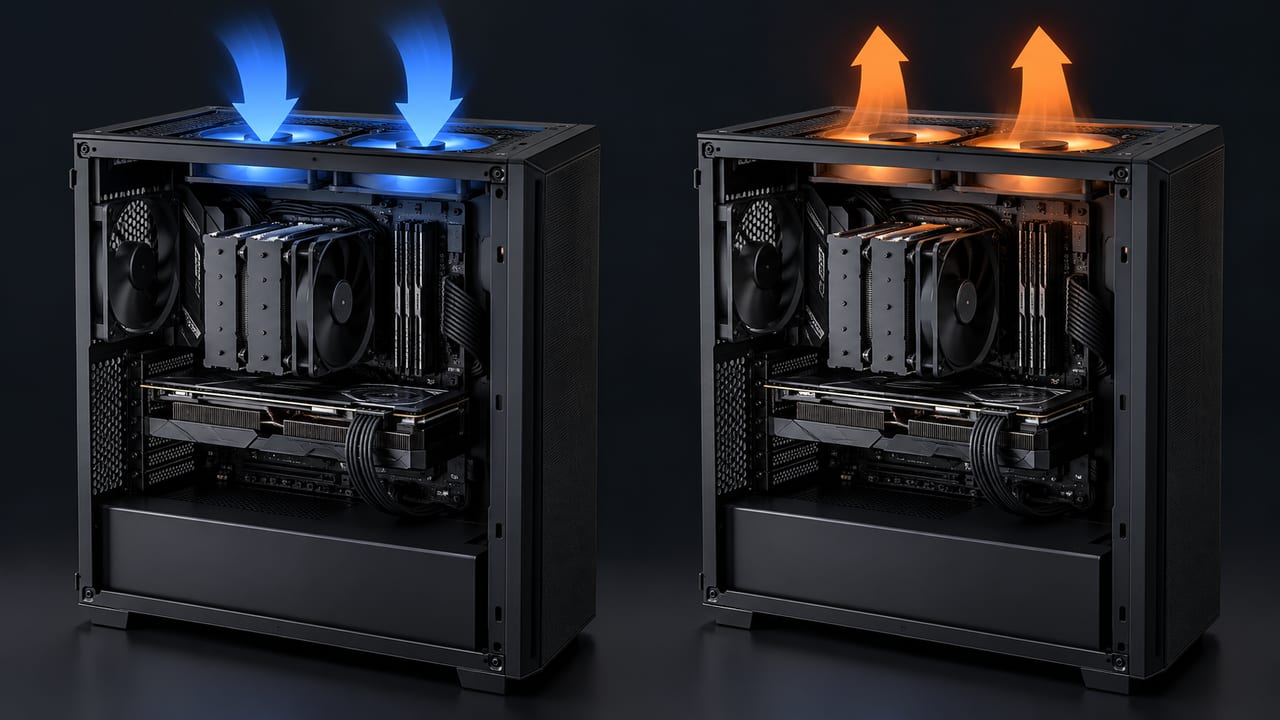
Lian Li O11 Fan Setup: Which Way Every Fan Should Blow
By Marlo Strydom · Last updated



Lian Li sells the O11 Dynamic EVO with no fans in the box and room for ten. The front is glass, so the usual "in the front, out the back" rule leaves you guessing.
That's why so many owners end up asking strangers on Reddit. Here is the answer, built from Noctua's airflow guide, reviewer tests, and our own runs in a 3D model of the EVO.
The Short Answer
- Side and bottom fans blow in, top and rear fans blow out.
- Only six fans? Put three on top as exhaust, then choose side intakes for a cooler CPU or bottom intakes to feed the graphics card.
- Fill the side mounts and add the rear fan: in our model, that sped up the air at the CPU cooler by 13% over a bottom-only layout.
- Put an AIO radiator on top to favor the graphics card, or on the side as an intake to favor the CPU.
- Buy reverse-blade fans for the side and bottom if you want their lit side facing the glass.
Where Each Fan Goes
Noctua's airflow guide names the O11 Dynamic and says to treat its side slots like front intakes. The same guide says bottom fans are generally intake and top fans are exhaust.
| Mount | Fits in the EVO | Direction |
|---|---|---|
| Top | 3 × 120 mm or 2 × 140 mm | Out |
| Side, beside the motherboard | 3 × 120 mm or 2 × 140 mm | In |
| Bottom | 3 × 120 mm or 2 × 140 mm | In |
| Rear | 1 × 120 mm | Out |
The fan sizes come from Lian Li's spec sheet. Fill every mount and you get six fans pulling cool air in and four pushing warm air out.
The same directions work in the original O11 Dynamic and the O11 Dynamic XL. Both have three-fan mounts on the top, side, and bottom too.
Side or Bottom First With Only Six Fans
Most starter builds use three top exhausts and three intakes. Where those intakes go decides which part gets the freshest air.
Gamers Nexus tested this in the bigger O11 Dynamic XL. Here is what it measured above room temperature:
| Intake fans | CPU | Graphics card |
|---|---|---|
| Two 140 mm on the bottom, plus a rear exhaust | 53.8 °C | 46.7 °C |
| Three 120 mm on the side | 50.2 °C | 46.9 °C |
| Three on the side, plus a rear exhaust | 48.7 °C | Not reported |
The reviewers said the side fans push air more directly across the top of the case and through the CPU cooler. The graphics card ran almost the same either way, and their advice was to split the intakes between the bottom and side.
What Our 3D Model Showed
We ran three layouts in our PC Airflow Simulator, using its model of the O11 Dynamic EVO. Every fan spun at 1,200 RPM, with a tower CPU cooler and a 315 mm graphics card inside. The table shows how fast the air moved near each part, plus the pressure inside the case.
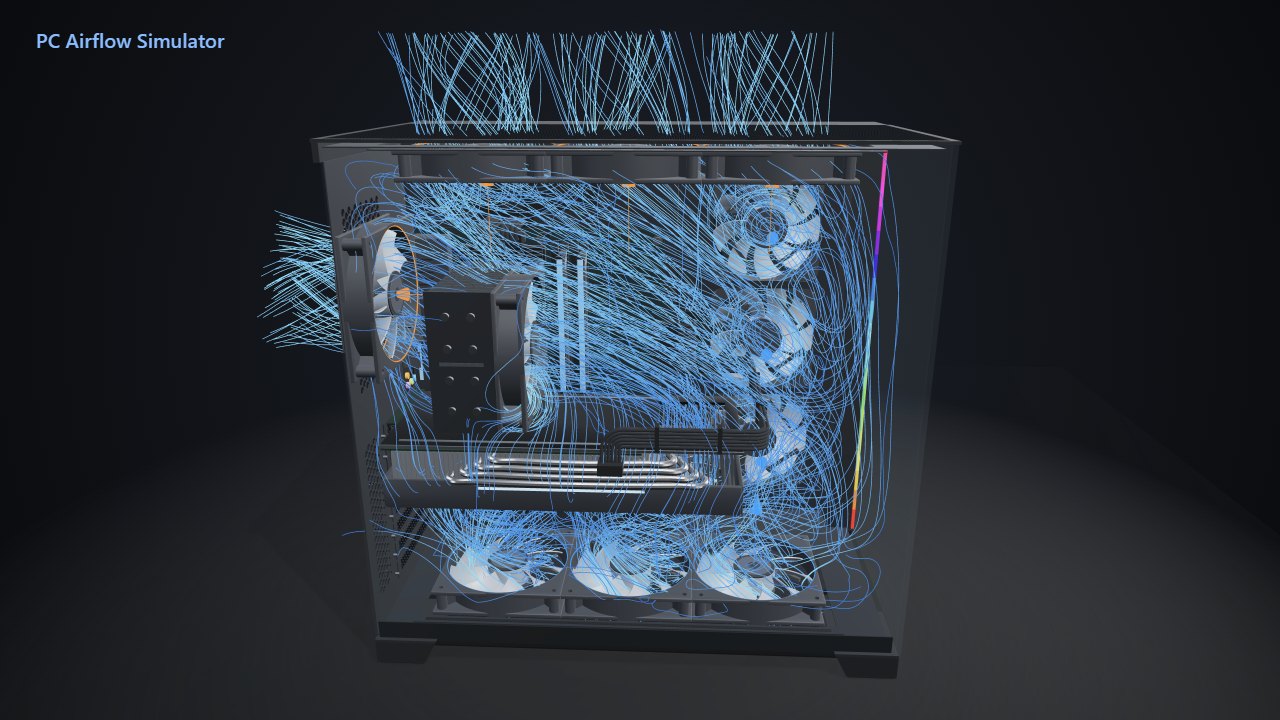
| Layout | CPU cooler | Graphics card | Pressure |
|---|---|---|---|
| 3 bottom in, 3 top out | 0.79 m/s | 0.62 m/s | −1.0 Pa |
| Add 3 side intakes | 0.81 m/s | 0.64 m/s | +2.0 Pa |
| Add a rear exhaust too | 0.89 m/s | 0.66 m/s | +1.2 Pa |
The side fans doubled the air coming in, from 67 to 138 CFM, and turned the case from negative to positive pressure. Air near the graphics card got 5% faster, and near the CPU cooler 3% faster.
The rear fan gave the CPU cooler its biggest boost, with 9% faster air. That lines up with the Gamers Nexus result above, where a rear exhaust brought the CPU temperature down further.
A side-only run hadn't settled by the end of its 12 seconds of modeled airflow, so we left it out of the table. These numbers measure moving air, not heat, so use them to compare layouts and then check real temperatures in your build.
Where an AIO Radiator Fits Best
Pick the spot by the part you want coolest. Noctua recommends a top radiator with exhaust fans for the lowest graphics card temperatures. A side radiator with intake fans gives the lowest CPU temperatures.
Match the other fans to it. A top radiator needs side and bottom fans feeding it fresh air, while a side radiator pairs with top and rear exhausts.
| Radiator spot | Sizes | Max thickness with fans |
|---|---|---|
| Top | 360 mm or 280 mm | 87.5 mm |
| Side, inner position | 360 mm or 280 mm | 83 mm with 120 mm fans on the top and bottom |
| Bottom | 360 mm | 87.5 mm |
These limits are from Lian Li's product page. Add the radiator's thickness to its fans' thickness before you buy, since a thick radiator with 25 mm fans adds up fast.
Normal or Reverse-Blade Fans?
A normal fan usually blows out of the side with its sticker and wires, as Intel's cooling guide explains. On the side and bottom, that side faces into the case, so you see the plain back through the glass.
Reverse-blade fans flip the blades so the lit face shows while still blowing in. Lian Li calls its version optimized for the bottom of the case.
For all ten mounts, buy six reverse-blade fans for the side and bottom and four normal fans for the top and rear. If looks don't matter to you, normal fans work fine everywhere. Just check the arrows on the frame before you tighten the screws.
Keep Dust Out
The case comes with one dust filter, and it sits on the bottom. The side fans pull air through the side panel's vents with nothing to catch dust.
More air going in than coming out helps here. Noctua says this "positive pressure" cuts the dust that gets inside, while the opposite pulls dirt in through gaps and unfiltered panels.
That's one more reason to fill the side mounts, as our model showed.
Wipe the side vents when you clean the bottom filter, or add a magnetic filter if your room is dusty.
Is the Front Mesh Kit Worth It?
Lian Li sells a kit that swaps the front glass for mesh and adds room for three more 120 mm fans. In KitGuru's review, the mesh front made very little difference with fans already on the floor, side, roof, and rear.
Skip it if your side and bottom mounts are free for intake fans. It makes more sense when radiators fill those mounts, since the front is then the only place left for fresh-air fans.
Test the Layout Before You Buy Fans
Open any of our layouts in the simulator's O11 Dynamic EVO, then change it to match your parts:
- All ten fans
- Side and bottom intakes with top exhaust
- Bottom intakes with top exhaust
- Side intakes with top exhaust, the one we left for you to run
Once it's built, change one fan at a time and run the same game before and after. Compare CPU and graphics card temperatures in HWiNFO or our free PC Reporter. For the basics behind every layout, see our fan placement guide.
Related Posts